Flâne for hotels · Always up to date
Your page, changed by you in a minute
The breakfast hours, tonight’s offer or a new address are yours to change at the desk. Every room has the change at once, every change is written down, and the guide stays with the guests who are staying with you.
What it does for your hotel
Kept right by you, and kept for the guests who are staying
No waiting for anyone
The owner and the managers change the page themselves, and guests see the change the next time they look.
Every change written down
The journal keeps who changed what and when, and the latest change of each thing can be put back with one tap.
Your guide stays with your guests
Each room has a card with a code of its own, so your guide and your Wi-Fi reach the people who are staying with you.
Requests end at check-out
Your page closes at the end of each stay, so what reaches your team comes from guests who are in the house.
The difference
Keeping your guide right, before and after Flâne
Without Flâne
- What guests read in the room is out of date
- A change waits for whoever made the leaflet
- Nobody remembers who changed the breakfast hours
- Guests who left weeks ago still write to reception
With Flâne
- A change reaches every room at once
- Changed at the desk, by you, in a minute
- A journal of every change, with a way back
- Your page and its requests close at check-out
How it works
Yours to change, and written down
Your page
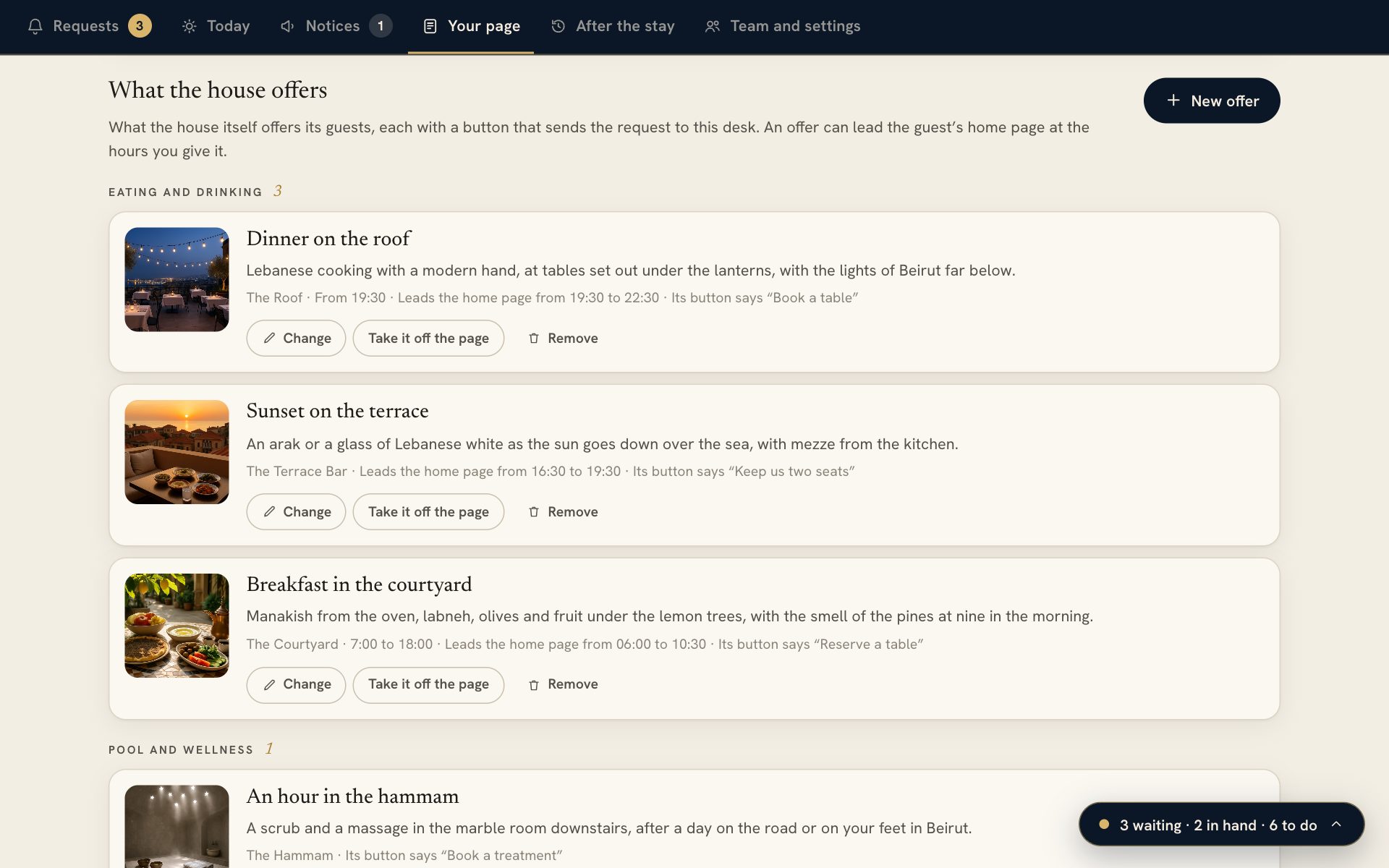
Offers, hours and your welcome, yours to change
Under Your page, the owner and the managers change the welcome, the practical lines, what the house offers and the requests guests send with one tap.
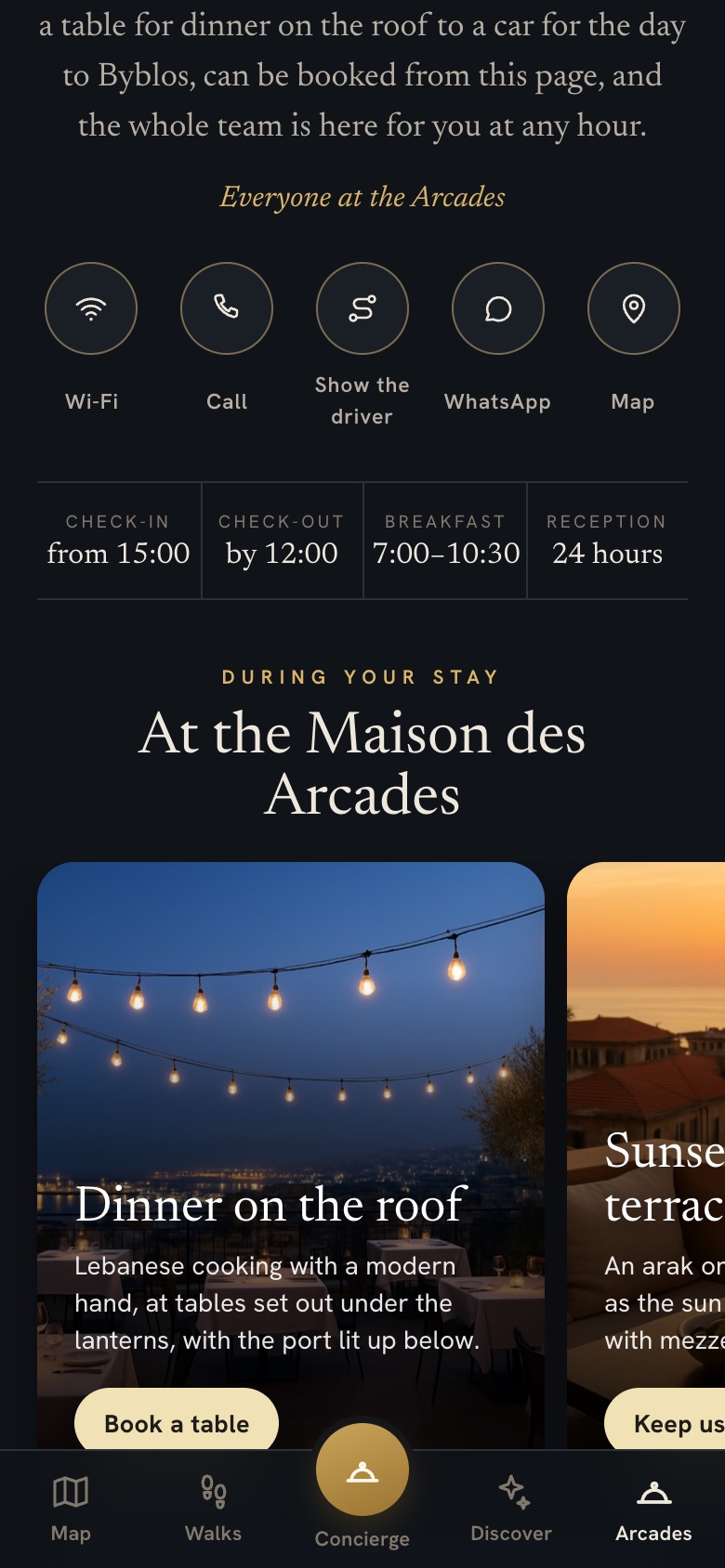
- An offer leads the home screen at the hours you give it
- Photographs are changed for you within 48 hours
The journal
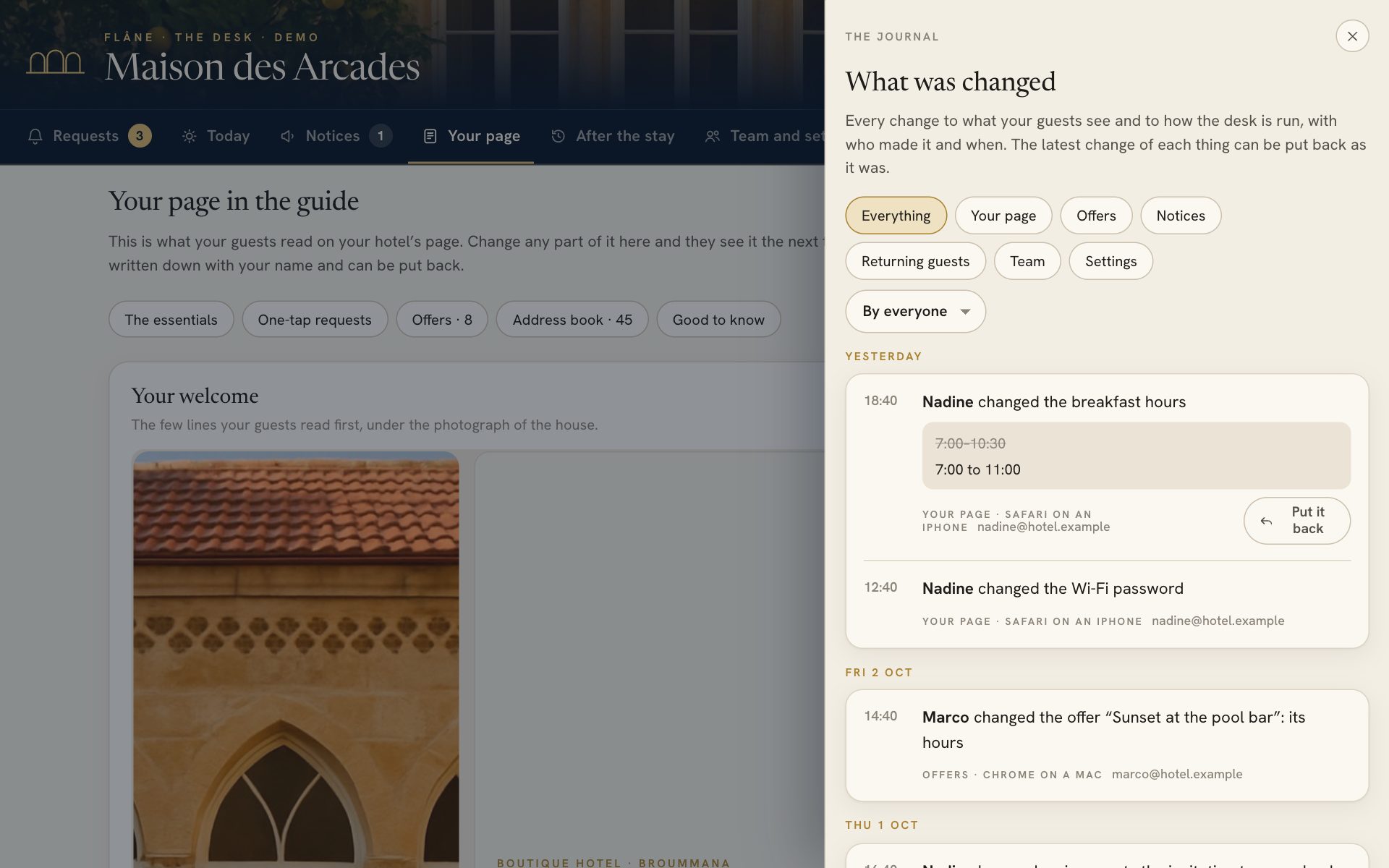
Who changed what, and a way to put it back
Every change to your page, your notices, your people and your settings is written down with its author and its hour, and the latest change of each thing can be put back.

For your guests only
It opens in the room and closes at check-out
A scan of the room’s card opens your guide on that guest’s phone until the day they leave. After that the guide thanks them for their stay, asks for a review and gives them the way to book you again.
- A code of its own for every room
- A card opens on a few phones a day, so a card that got out is worth little
- A longer stay opens again with a new scan
Questions
About keeping it up to date
How do we change our page?
At the desk, under Your page. The owner and the managers change any part of it, and guests see the change the next time they look.
Can we undo a change?
The journal keeps every change with who made it and when, and the latest change of each thing can be put back.
Who can change the page?
The owner and the managers. Reception and the departments read the page, so they always know what guests were told.
What about our photographs?
Send them to us, and we change them for you within 48 hours.
What happens when a guest checks out?
The guide and your page close at the end of the day they leave. A guest who stays longer scans the card in their room and it opens again.
What if a card goes missing?
We give that room a new code and send you a new card, and the old one stops opening anything.
More of Flâne
The rest of Flâne, for your guests and your team
Your name on it the day you sign
A 20-minute visit is enough to see Flâne on your own phone, and your guide can be switched on the same day.