Flâne for hotels · The desk
Every request answered, and none of them lost
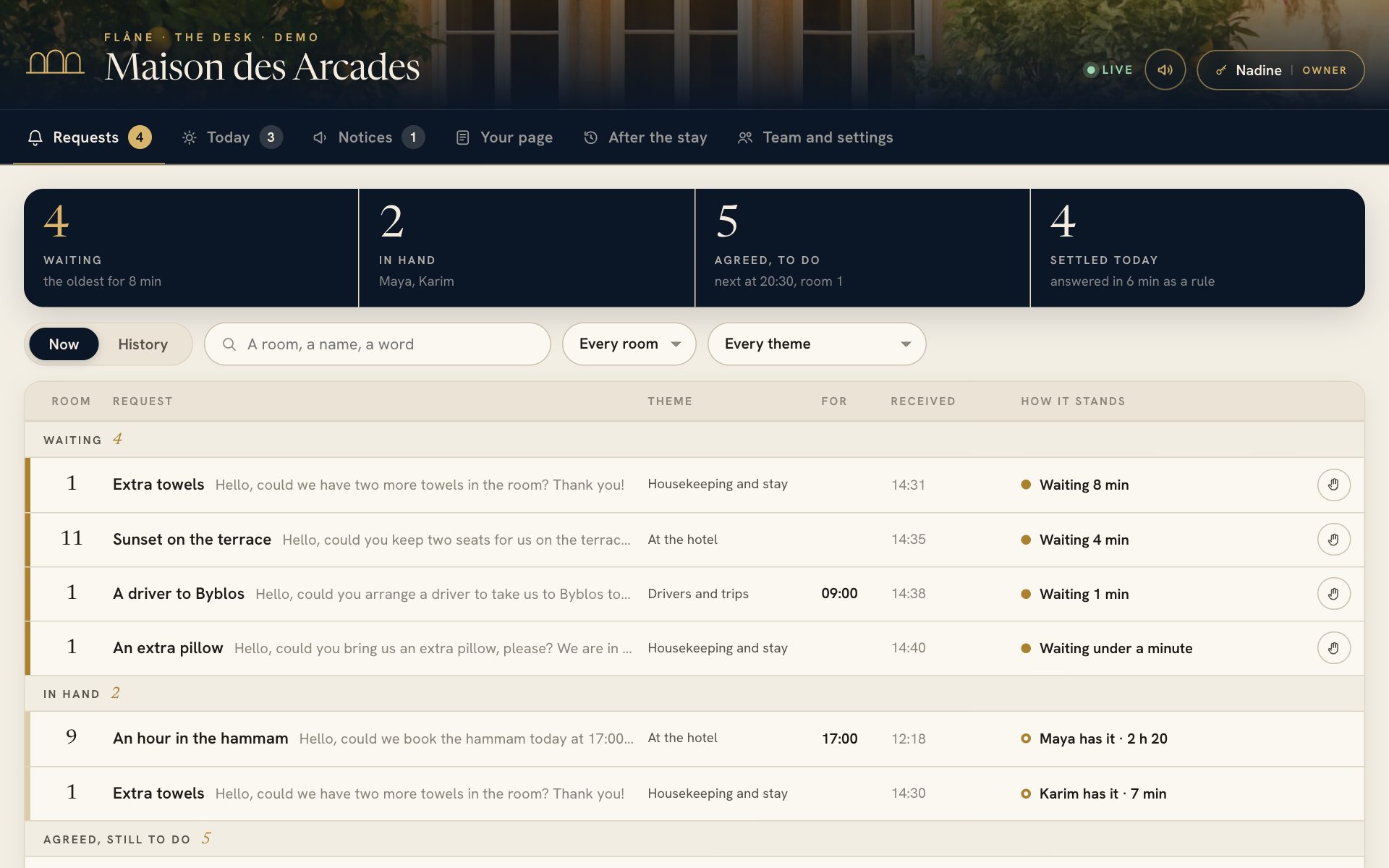
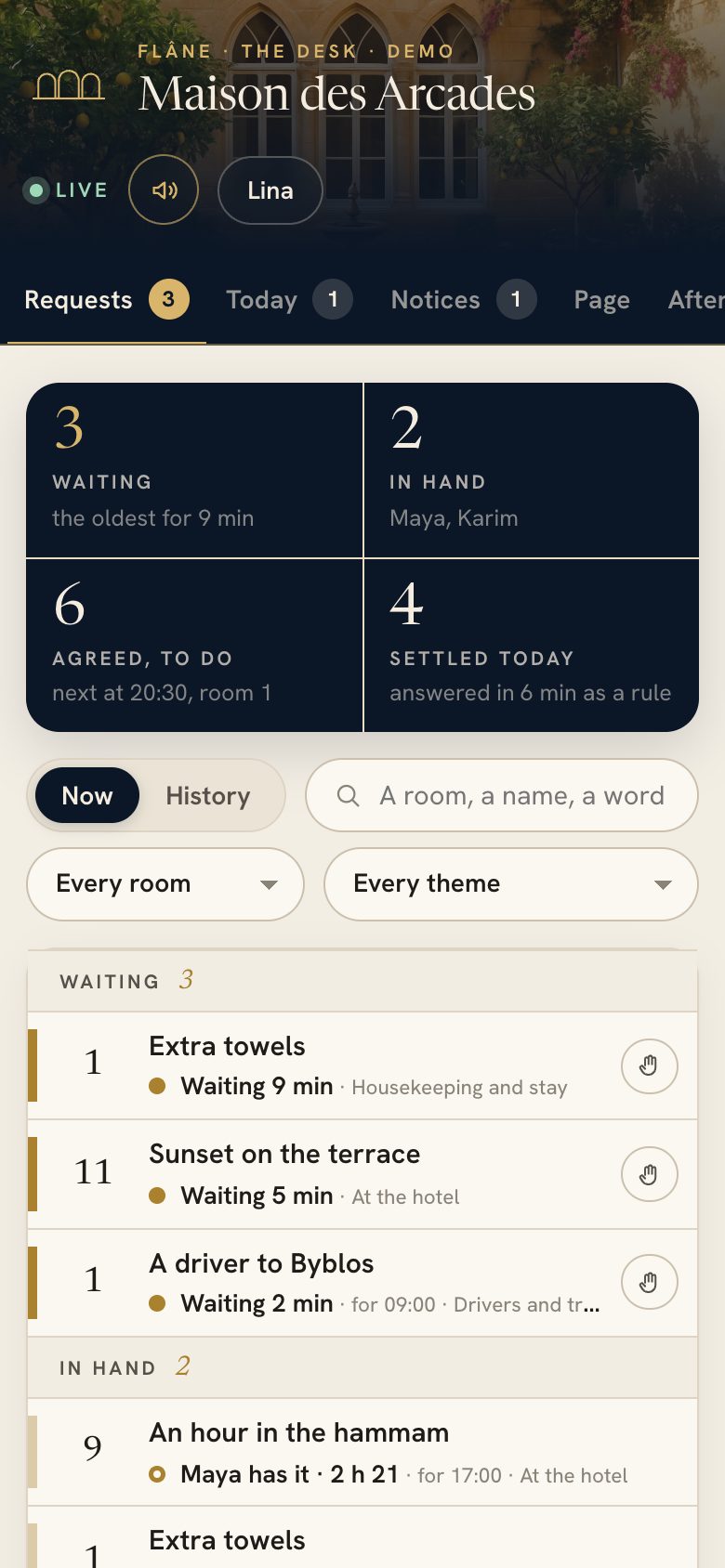
What guests ask for in the guide arrives at one desk, on the computer at reception and on your team’s phones. The right department sees it, one of you answers by name, and the guest reads the answer a moment later.
What it does for your hotel
A team that answers as one, at any hour
Nothing lost between shifts
Every request is in writing, with the room, the hour it was sent and who answered it, and what was agreed for later stays on the list until it is done.
The right person sees it first
Housekeeping sees the towels and the restaurant sees the tables, while reception and the managers see everything.
Guests who know they were heard
The guest sees that someone has the request in hand, then reads the answer signed with a name, without calling down to ask again.
Nothing to install, and little to learn
The desk opens in a browser, each person signs in with a code sent to their own email address, and an hour and a half at your hotel is enough to start.
The difference
Guests’ requests, before and after Flâne
Without Flâne
- Requests reach whoever picks up the phone
- The night shift finds out in the morning
- Guests call down twice to know if it is coming
- Nobody knows how long guests wait
With Flâne
- Each request goes to the department it belongs to
- Agreed requests stay listed until they are done
- The guest reads who has it and what was answered
- The desk shows how long each request has waited
How it works
From the first chime to the last answer
One place
Waiting, in hand, agreed and done
The board shows what waits for an answer with the oldest at the top, what one of you has taken, and what was agreed with guests for later in the day.
- A chime when a request arrives, and again while it waits
- Search by room, by name or by a word
- Thirty days of history to look back over
By name
Taken in a tap, answered in a sentence
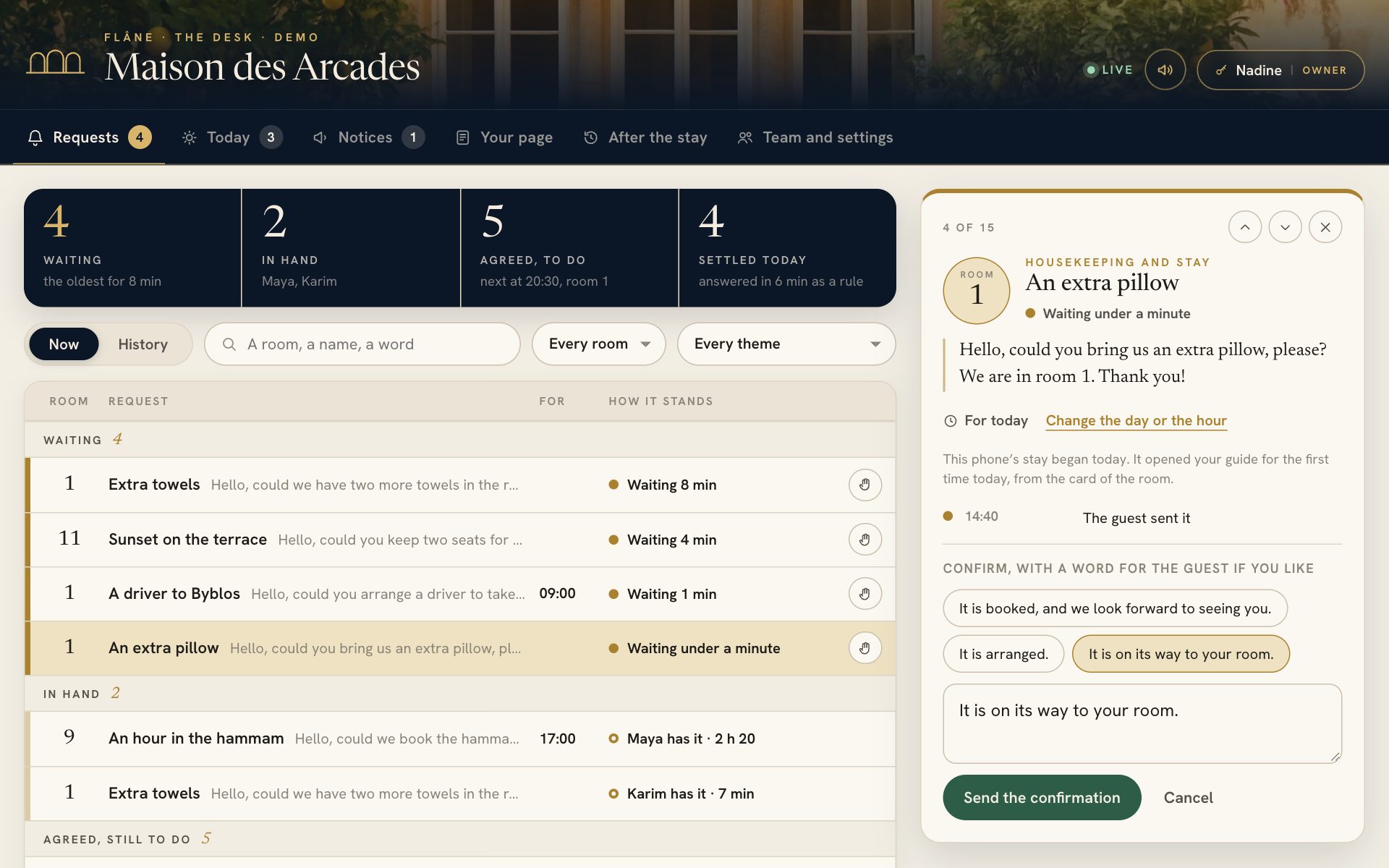
“I have it” tells your colleagues the request is yours. You confirm or decline with a ready sentence or a word of your own, and the guest reads it signed with your name.
- The day and the hour of a request can be changed, and the guest reads the new ones
- A note for the team, which the guest never sees
Roles
Each person in their role
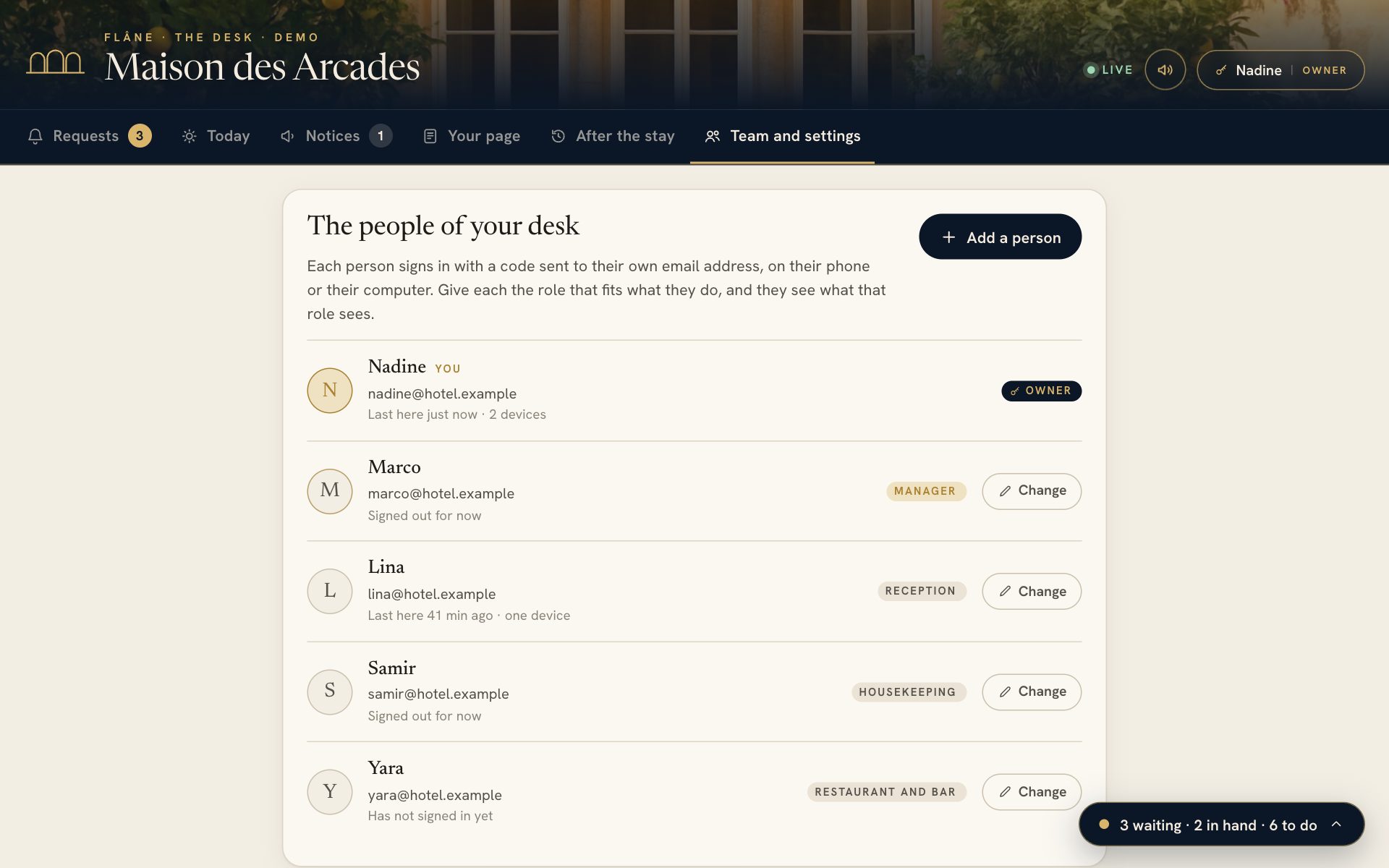
The owner adds people under their own email address and gives each a role. A department sees and answers only its own requests, and the computer at reception can stay open as a shared screen.
- Owner, manager, reception and four departments
- A colleague who leaves is signed out everywhere at once
Alerts
Told on their phone, and by email when a guest has waited
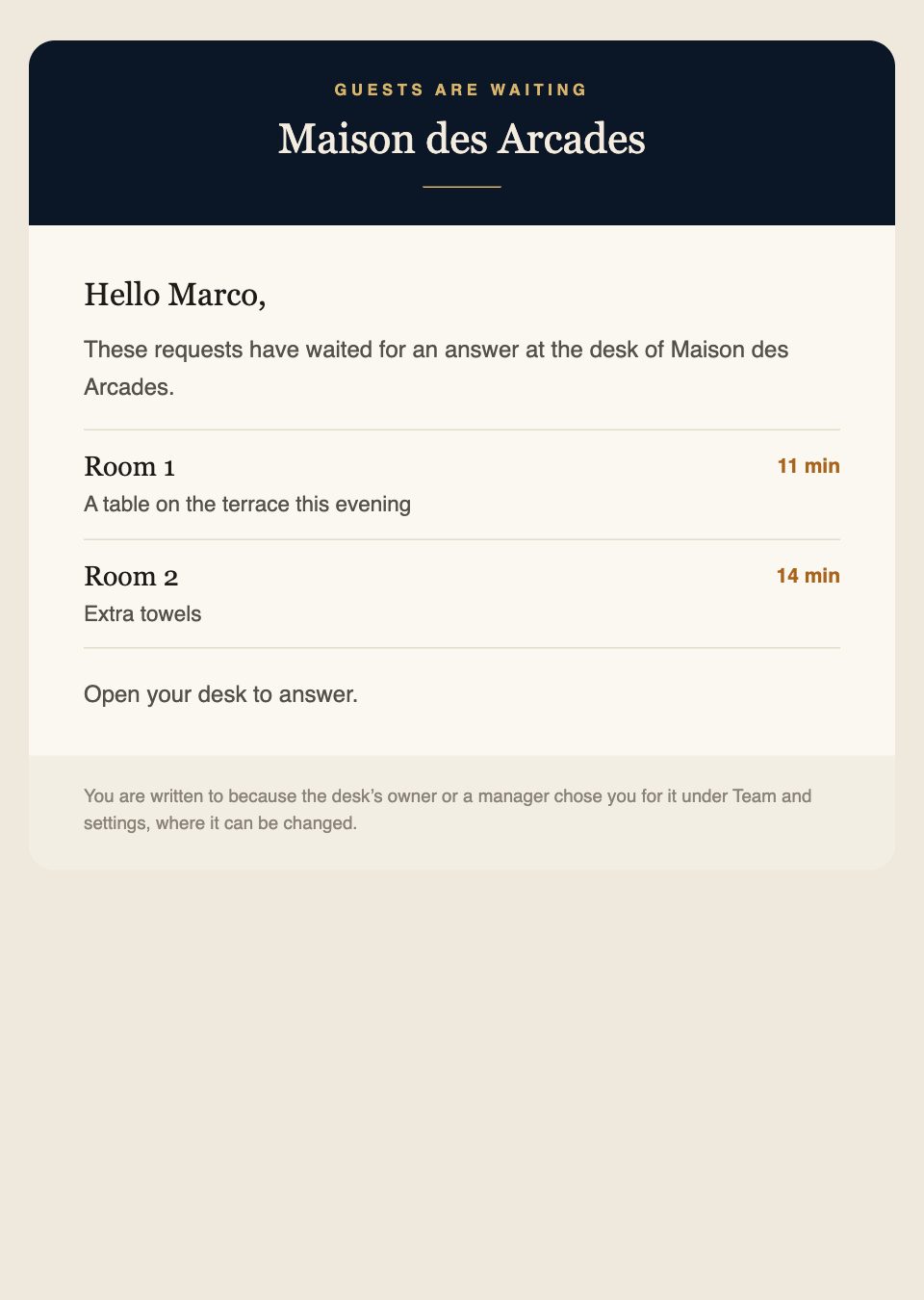
Each person turns alerts on for their own phone. If a request still waits after the minutes you set, the people you choose receive a letter, and at night only those on duty are told.
- A letter after 5, 10, 15 or 30 minutes
- The hours of the night, and who is still told
Kept to your people
Open to your team, and to nobody else
A code to their own email
Each person opens the desk with a code sent to their own address, so there is no shared password to pass around.
A role for each person
Reception answers, a department sees its own requests, and the owner and the managers alone change your page.
A journal of every change
Who changed what and when is written down, and the latest change of each thing can be put back.
One tap to close every door
If a phone is lost, the owner signs every other device out, and each person comes back in with a new code.
Questions
About the desk
Does our team need to install anything?
The desk opens in the browser of a computer, a tablet or a phone. On a phone it can be added to the home screen, where it opens like an app and can alert the person carrying it.
Does it replace our booking system?
It works beside it. Flâne holds what guests ask for and what your team answers, and leaves arrivals, departures and guest lists to the system you already have.
Can guests still write on WhatsApp?
Requests can go to the desk with WhatsApp beside it for guests who prefer a chat, to the desk alone, or to WhatsApp as before, whichever you choose.
What happens at night?
You set the hours of the night and who is still alerted during them, and a shared screen at reception is alerted at every hour.
How long are requests kept?
Everything settled stays in the history for thirty days and is removed after that.
More of Flâne
The rest of Flâne, for your guests and your team
Your name on it the day you sign
A 20-minute visit is enough to see Flâne on your own phone, and your guide can be switched on the same day.